Embroidery Machines for Beginners: Hoop Size Decides It
Our picks, at a glance
- Top pick
Brother PE545 Wireless Embroidery Machine
$499.99StitchScore 75 4.4 out of 5 stars · 255 ratings
The short version
- An embroidery machine holds fabric in a hoop and stitches a design; most models cannot sew a normal seam.
- Brother PE545, about $500, is the value pick — but only as a second machine, because it is embroidery-only.
- Brother SE700, about $580, is the right first machine if you own nothing yet, because it sews and embroiders — and it is the highest-scoring machine in the category on measured owner feedback.
- A 4-inch by 4-inch field covers monograms, patches, bibs, logos and tote motifs; a true 5-inch by 7-inch machine sits above beginner money.
- Stabilizer is not an accessory — without it the fabric puckers and the machine gets blamed.
- Budget roughly $100 on top of the machine for stabilizer, embroidery thread, spare hoops and needles.
An embroidery machine is not a sewing machine with a fancier stitch dial. It is a different tool: it clamps fabric taut in a hoop, then moves that hoop under the needle while stitching out a design you loaded onto it. Miss that distinction and you can spend real money on a machine that will monogram a towel beautifully and cannot hem one. Everything else — hoop size, built-in designs, wireless transfer — is downstream of it.
Everything below comes from manufacturer listings and published specifications. We If you have never used one, machine embroidery for beginners explains what the machine actually does — hooping, stabilizer, design file formats and a sensible first project — before you spend anything. research; we do not stitch on these machines ourselves, and we would rather say so than imply a workshop we do not have.
First question: do you already own a sewing machine?
This decides more than your budget does.
- You have a sewing machine you like. Buy embroidery-only. You are adding a capability, not replacing one, and the cheapest machine in the category is the embroidery-only one.
- You own nothing yet. Buy a combination machine that sews and embroiders, or buy a plain sewing machine first and add embroidery later. A hoop cannot sew a seam.
- You are not sure sewing will stick. Start at Level 1 with a basic machine and a few projects. Embroidery is a Level 4 skill on The Pattern for a reason — it rewards people who already know how fabric behaves.
Embroidery-only machines look like bargains because they are cheaper. They are cheaper because they do less. That is fine when it is your second machine and a problem when it is your first.
What we'd buy for this
One pick per category, chosen from the research pages linked in this piece. Borrow before you buy — nothing here is required to start.
 Sewing Machines
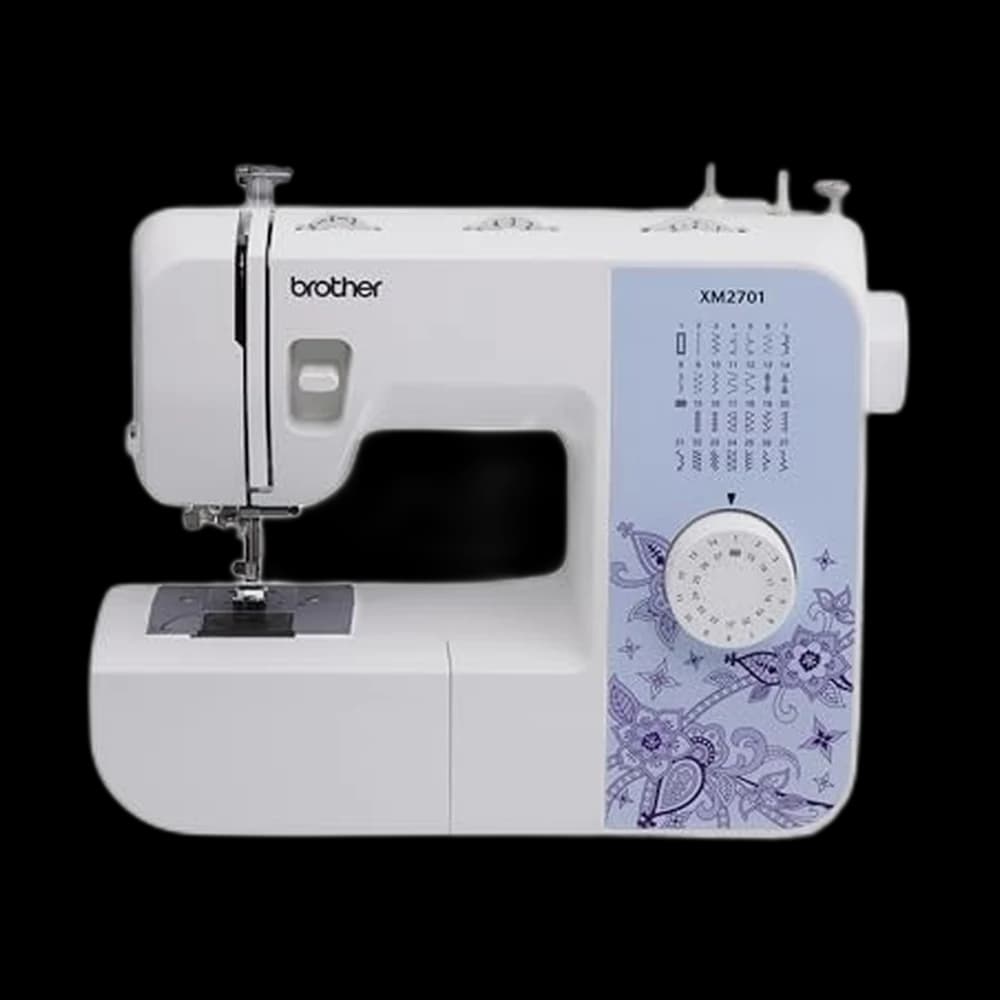
Brother XM2701$143.14 4.6 out of 5 stars · 19,162 ratings
A first machine — 27 built-in stitches is enough to sew clothes without a menu to decode, and the listing specifies the automatic needle threader and the jam-resistant drop-in top bobbin, which are the two steps beginners most often give up on.
 Embroidery Machines
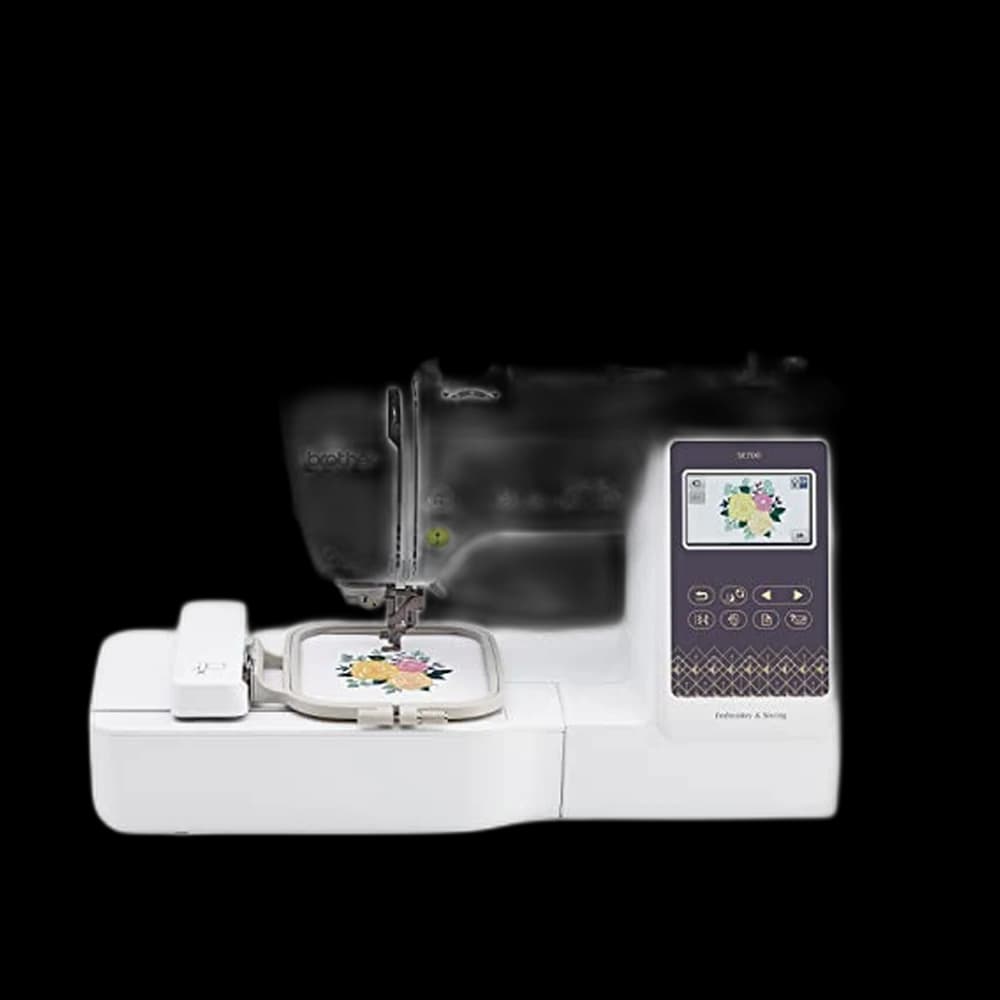
Brother SE700$579.99 5 out of 5 stars · 1,011 ratings
Doing both jobs on one machine — a 4 by 4 inch embroidery field, 135 built-in designs, 103 sewing stitches and a colour touchscreen, with designs arriving over wireless LAN instead of a USB stick.
 Embroidery Stabilizer
New brothread 100$9.99 4.8 out of 5 stars · 14,514 ratings
Priced in the lower half of this category.
Researched from listings, specs and owner feedback — never hands-on testing. We may earn a commission; it never changes a pick.
The 4x4 versus 5x7 hoop question, answered honestly
The embroidery field is the area the machine can stitch without you unclamping and re-hooping the fabric. It is the spec that decides what you can make, and it is the one sewing forums argue about most.
| Embroidery field | Comfortably fits | Does not fit |
|---|---|---|
| 4-inch by 4-inch | Monograms, left-chest logos, bibs, patches, pouch panels, tote motifs, hat fronts | Towel borders, arched hoodie-back names, blanket corners |
| Taller fields (around 4 by 9 inches) | Vertical lettering, longer motifs down a shirt front or bag | Wide designs — extra height is not extra width |
| 5-inch by 7-inch | Most beginner projects plus multi-line lettering | Full-back jacket designs |
Here is the honest part. Every combination machine in our embroidery machine roster has a 4-inch by 4-inch field — the one exception is a taller 4-inch by 9.25-inch embroidery-only machine, and taller is not wider. A genuine 5-inch by 7-inch machine sits above the budget band this site works in. So the standard advice to just get a 5x7 is not wrong — it is not available at beginner money. If your project list is monograms, patches, bibs and logos — and for most hobbyists in the first year, it is — four inches square is not a compromise. It is the size of the thing you were going to make anyway.
Re-hooping to stitch a larger design in sections is possible, and it is fiddly enough that beginners rarely enjoy it. Plan around the field you have.
Built-in designs versus importing your own
Every machine here ships with designs already on it — motifs, borders and alphabets you can stitch the day it arrives. That is the honeymoon. It ends the first time someone asks for a specific logo.
- Built-in designs cost nothing and need no software. Start here for a month.
- Purchased design files are downloadable stitch files you buy from independent designers. Cheap, enormous variety, and you must download the format your machine reads.
- Digitizing your own means converting artwork into a stitch file with software. It is a real skill with a real learning curve, and it is where custom work lives.
How a design gets onto the machine matters more than beginners expect. The Brother machines below transfer wirelessly from a computer, or over the Artspira mobile app, or through a built-in USB port. Being able to draw something on a phone and send it to the machine removes a whole category of beginner friction — no card readers, no USB stick you cannot find.
Stabilizer is not optional, and nobody tells you first
An embroidery design is thousands of stitches punched into one small area. Without backing, the fabric distorts, puckers and drags — and the machine gets blamed for it. Stabilizer is the backing that holds the fabric still while that happens, and it is the single most common reason a beginner's first project looks wrong.
- Cut-away for knits and anything stretchy: t-shirts, onesies, sweatshirts.
- Tear-away for stable wovens: tote bags, canvas, quilting cotton.
- Water-soluble topping for towels and fleece, so stitches sit on top of the pile.
Buy stabilizer with the machine, not after your first ruined shirt. Spare hoops in a second size are the other purchase worth making early, because re-hooping a small item into a big frame is where beginners give up.
The machines worth starting on
Brother PE545
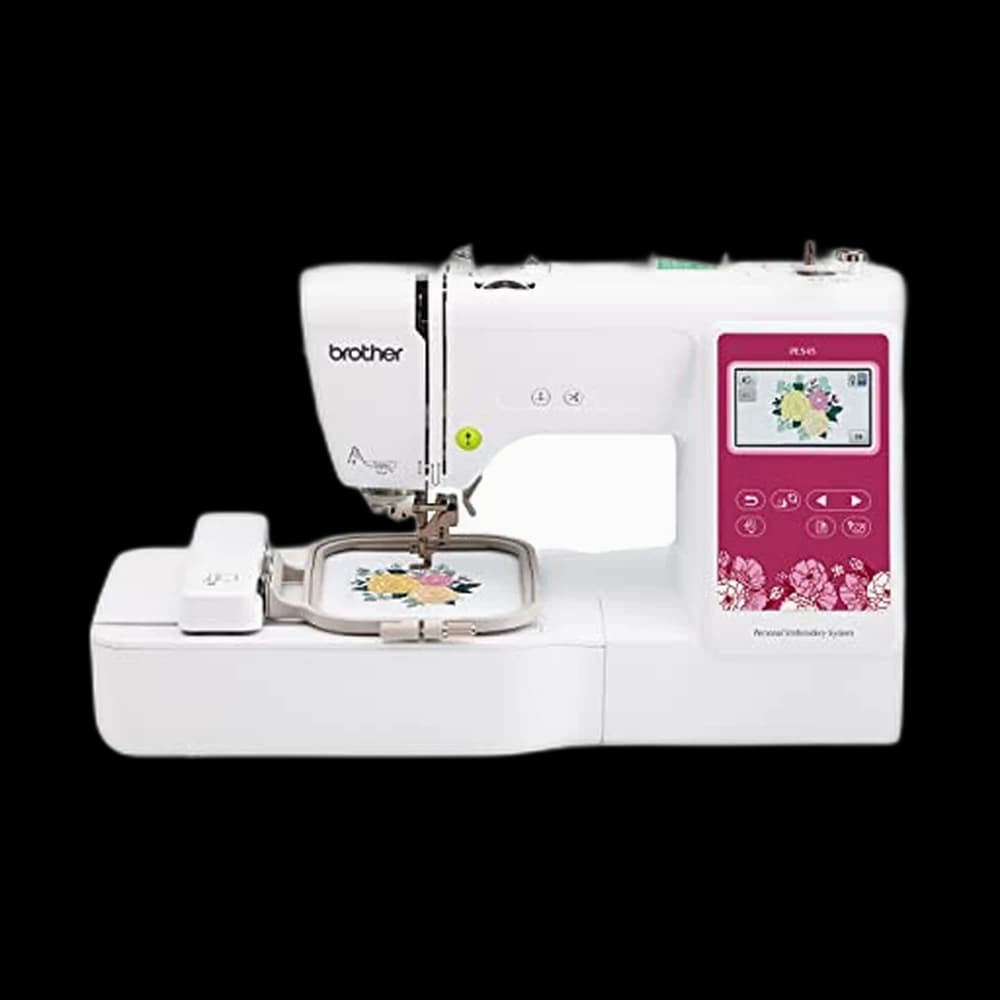
The value pick, and the least expensive machine in the category. It is embroidery-only, computerized with a 3.7-inch color touchscreen you can drag and drop designs on, and it has a 4-inch by 4-inch field with a hoop included. Designs transfer wirelessly or over USB, and it weighs about 14 pounds, so it lives in a cupboard between projects. Skip it if you do not already own a sewing machine — it embroiders but will not sew a seam.
Brother SE700
The one to buy if this is your only machine. It sews and embroiders: the same 4-inch by 4-inch field and wireless transfer as the PE545, plus an embroidery arm and eight sewing feet, so you can make the tote and then decorate it. For a beginner with an empty table, the extra eighty dollars buys a whole second machine's worth of capability.
Poolin EOC05
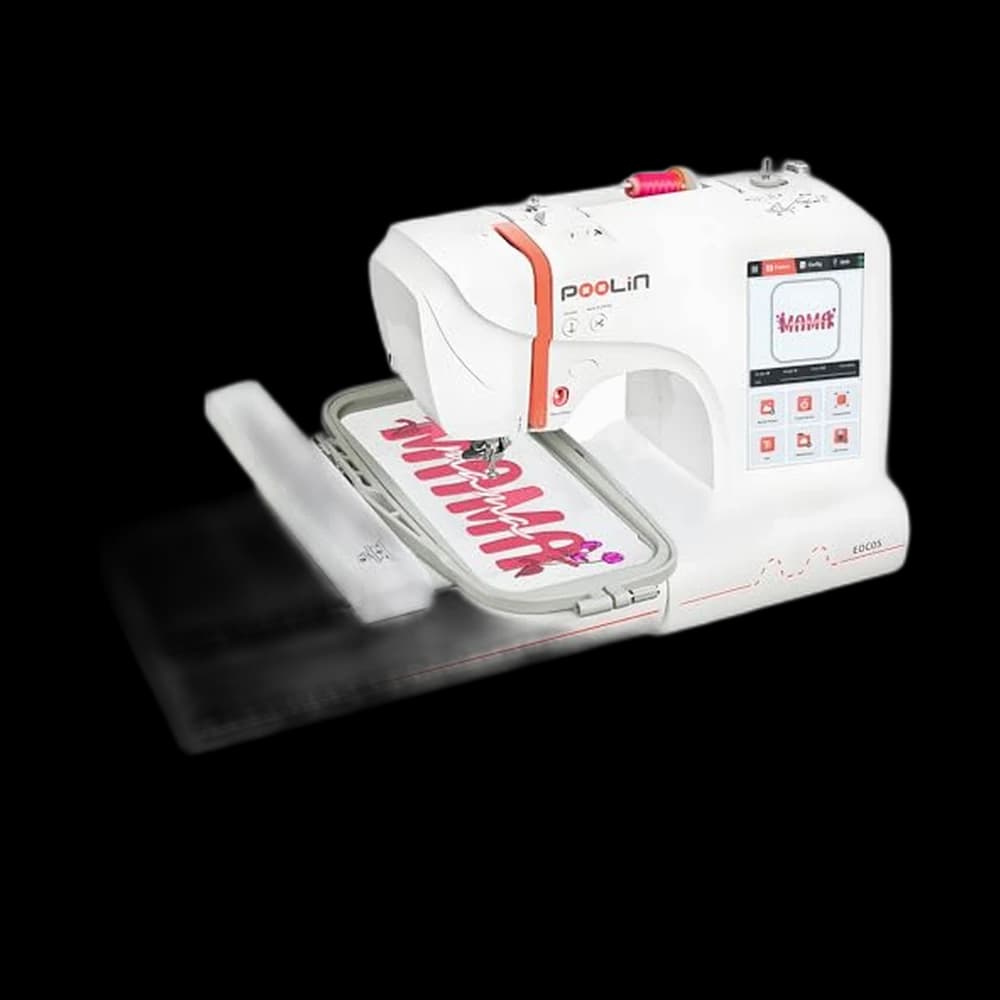
The stretch pick, and the most expensive machine here. It is embroidery-only, with a 7-inch touchscreen and a 4-inch by 9.25-inch field the manufacturer describes as suited to shirts, hoodies, bags and gifts. That extra height is real, but it is height, not width. Worth it only if you already know which of its features you will use — which, as a beginner, you probably do not yet.
Buying order for most people: SE700 if it is your only machine, PE545 if it is your second. The other three are variations on those two.
Budget the whole setup, not the machine
| Item | Rough first-year spend |
|---|---|
| Machine | $500–$580 |
| Stabilizer, assorted types | $30–$50 |
| Embroidery thread starter set | $30–$60 |
| Extra hoop or two | $20–$40 |
| Bobbin thread and spare needles | $20 |
Nothing on that list is optional in practice, and leaving it out of the plan is why machines sit unused. If you are thinking about selling what you make, the calculation changes — hoop size becomes your product catalog and digitizing becomes a recurring cost. We wrote that up separately in embroidery machine for a small business.
For everyone else: buy the machine that matches what you already own, buy the stabilizer at the same time, and stitch a monogram on a scrap before you touch anything you care about. A wonky first monogram on an old pillowcase is worth more than a perfect one you never attempted.
Before you buy: what the machine needs beside it, and what a business needs on top.
Frequently asked
Can an embroidery machine also sew normal seams?
Only some of them. The Brother SE700 is a combination machine — it ships with an embroidery arm and eight sewing feet, so it does both. The Brother PE545 and the Poolin EOC05 are embroidery-only, which means you would still need a separate machine to hem a tote or close a pouch. Check this before price, because it changes what the machine is worth to you.
Is a 4x4 hoop big enough for a beginner?
For most first-year projects, yes. Monograms, left-chest logos, baby bibs, patches, zip-pouch panels, tote motifs and hat fronts all fit inside four inches square. What it will not do is a towel border, a blanket corner, or a name arched across a hoodie back. If your one project idea needs a big design, save longer rather than buying small and hoping.
Do I really need stabilizer?
Yes, every time. An embroidery design puts thousands of stitches into a small area, and without backing the fabric distorts and puckers. Cut-away suits knits and stretchy garments, tear-away suits stable wovens like canvas and quilting cotton, and a water-soluble topping keeps stitches sitting on top of towels and fleece. Buy it with the machine, not after your first ruined shirt.
Do I have to buy digitizing software to start?
No. Every machine here arrives with built-in designs and alphabets you can stitch straight away, and there is a huge market of downloadable stitch files from independent designers. Software only becomes necessary when you want to convert your own artwork — a specific logo, a hand-drawn motif — into a stitch file. That is a real skill, and it can wait until month three.
Did you test these machines?
No. We research manufacturer listings, published specifications, manuals and the pattern of what owners report over time, and we say so rather than claiming hands-on testing we have not done. Where we quote a field size, a screen size or an accessory list, it comes from the manufacturer's own listing for that model.
Prices and StitchScores reflect our most recent research and refresh on a cycle — confirm the live price before buying. We may earn a commission from affiliate retailers; it never changes what we recommend. See how we score gear.
Read next
Embroidery Machine for a Small Business: An Honest Guide
What hoop size lets you sell, which entry machines are worth starting on, and the recurring costs — stabilizer, thread, digitizing — nobody budgets for.
Serger vs Sewing Machine: What Beginners Actually Need
A serger trims, sews and overlocks in one pass — but it cannot do zippers, buttonholes or topstitching. Why it is a second machine, not a first.